Stay present between the big conversations
Calls and messages still matter. Love Taps adds a lighter way to say “I’m thinking of you” when you are busy, in different time zones, or simply out of words.
Love Taps gives two people a small shared space on their iPhones. Send a tap, choose a mood, and keep the next reunion close without starting another conversation.
Get Love Taps on the App StoreTwo iPhones · iOS 17 or later · One paid plan connects both partners
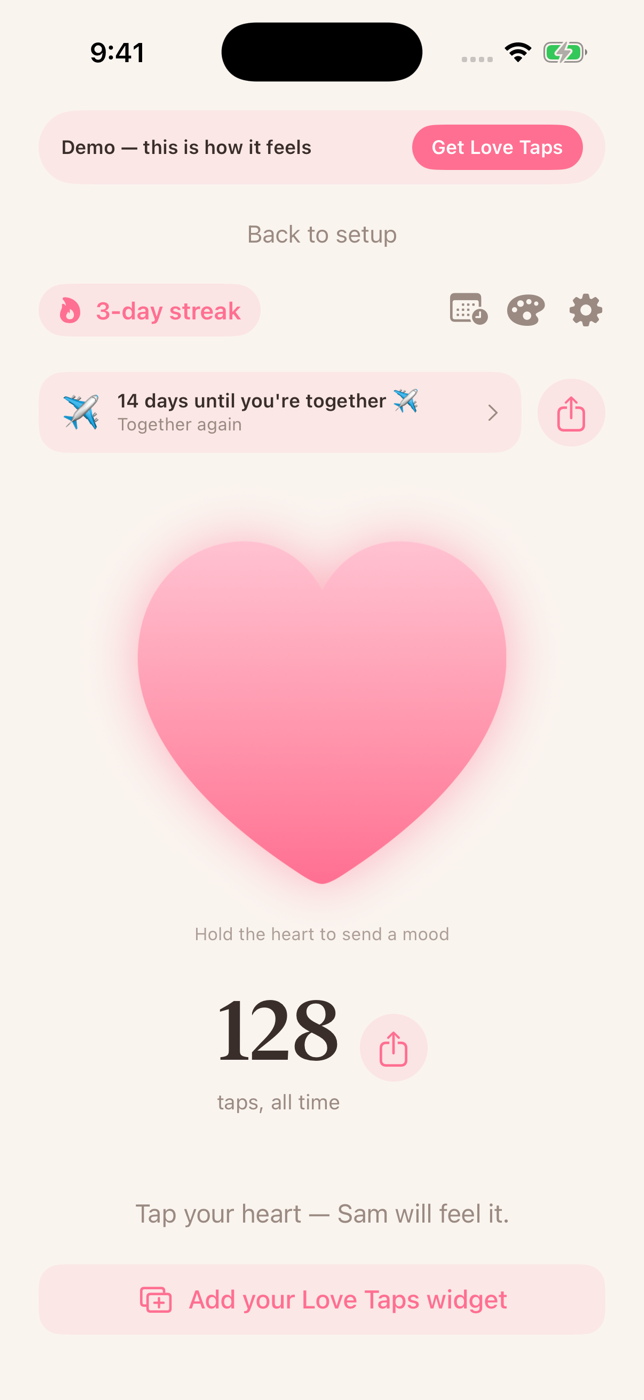
Calls and messages still matter. Love Taps adds a lighter way to say “I’m thinking of you” when you are busy, in different time zones, or simply out of words.
The shared count moves once for each tap. Both people use Love Taps on iPhone, and one paid plan connects the pair.
The video is labeled “APP DEMO.” Its “about two seconds” wording is an estimate, not a delivery guarantee. Timing depends on connectivity, notification permissions and Apple push delivery.
Reach out from the app or an available iPhone widget. Your partner can receive a notification when you tap.
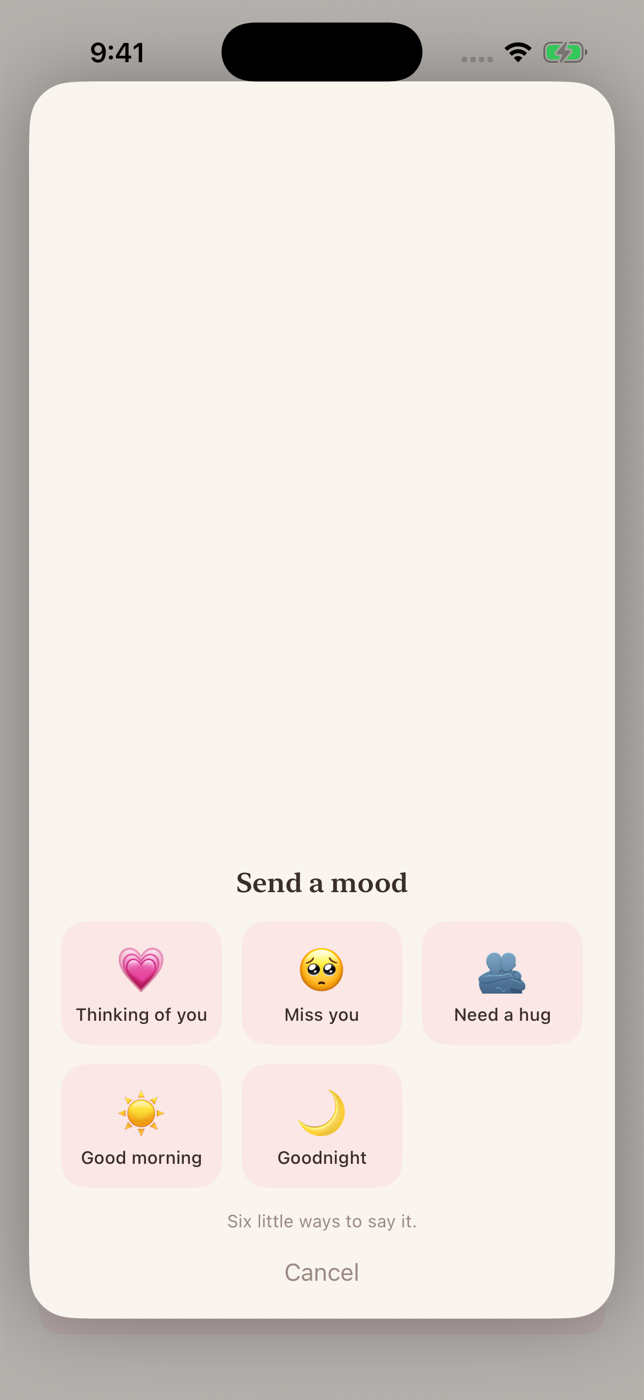
Choose Thinking of you, Miss you, Need a hug, Good morning or Good night.
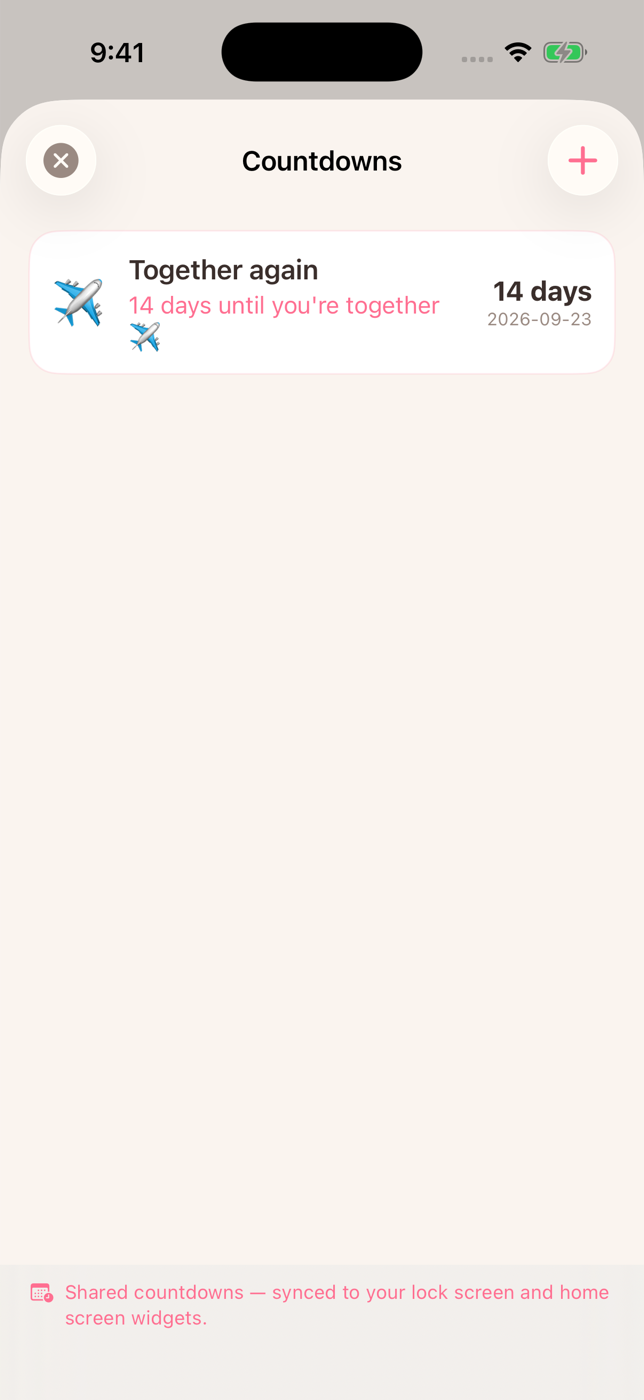
Add the next visit, an anniversary, or another meaningful date for your paired partner to see.
Love Taps is an app for long-distance couples who want a small, steady way to stay in touch on the days when a long call is not possible. Everything in it is shared by exactly two people: you and the partner you pair with.
A tap is the core of the app. You press the heart in Love Taps, the button on the Home Screen widget or the Lock Screen control, and your partner can receive a notification. A tap carries no words, so there is nothing in it to read and nothing to answer. Each tap adds one to a shared count that only goes up.
Long-press the heart to send a mood instead of a plain tap. The five moods are Thinking of you, Miss you, Need a hug, Good morning and Good night. They give a little more meaning without turning the moment into a conversation.
Love Taps is also a couple widget app. Add the tap widget to your Home Screen, or the tap control to your Lock Screen, and you can reach out without opening the app. A separate countdown widget can show your next shared date. The couple widget page explains each one, and the widget setup guide walks through adding them.
Add the next visit, an anniversary, a birthday or a custom date, and both of you see the same countdown in whole days. Read more about the shared reunion countdown, or try the free reunion countdown in your browser before you install anything.
Each of you types in a city. Every tap then counts the straight-line distance between those two cities, and Love Taps adds it all into one number for the two of you. The number appears on the home screen of the app and opens into a galaxy: a spiral route from Home, past milestone stars, with your heart at the point you have reached together. The miles of love page lists the milestones and explains how the number is counted.
Every plan includes all eight color themes. When one of you picks a theme, both phones change to it.
Make a free private reunion countdown in your browser. It needs no account and can create a link for your partner.
Most long-distance couples already use messages, video calls and a calendar. Love Taps does not replace any of them. This table shows where it fits.
| Question | Love Taps | Texting | FaceTime | Shared calendar |
|---|---|---|---|---|
| What you send | A tap or one of five moods, with no words | Words, photos, voice notes and links | A live video or audio call | Events with dates and times |
| Does it expect a reply? | No. A tap has nothing in it to answer | A text message usually expects a reply | A call needs the other person to answer | No |
| Do you both need to be free at once? | No | No | Yes, a video call needs both people free at the same time | No |
| Shared countdown to the next visit | Yes, in whole days, on both phones and in a widget | Not built in | Not built in | Stores the date as an event |
| Home Screen or Lock Screen | Tap widget, Lock Screen tap control and countdown widget | Notifications for new messages | Notifications for incoming calls | Calendar widgets list upcoming events |
| Shows the distance between you | Yes, as miles of love drawn as a galaxy | No | No | No |
| Who it is for | Exactly two people who pair their iPhones | Anyone in your contacts | Anyone with a FaceTime link or Apple device | Anyone you share the calendar with |
A common pattern is to keep calls for the long conversations, messages for plans and news, and Love Taps for the small moments in between.
Love Taps has no free tier, and the app says so before you buy. You can try a tap in a labeled demo first. You can restore a purchase and manage or cancel a subscription from Settings in the app.
If you want to plan around the distance itself, the reference pages show the distance between two cities and the time difference between two cities, with the best hours to call.
A paired couple can send taps and five moods, use the Home Screen and Lock Screen widgets, keep a shared reunion countdown, choose a shared color theme and watch their miles of love grow as a galaxy.
No. One paid plan connects both partners after they pair in the app. Each partner needs Love Taps on an iPhone.
Example US prices are $1.99 monthly, $9.99 annual or $19.99 lifetime. The App Store shows the current local price. One plan covers both partners.
No. Love Taps currently requires two iPhones running iOS 17 or later.
No. Love Taps never asks for location permission. Miles of love use two cities that you type in, and reunion countdowns use dates that you choose.
Each tap counts the distance between your two cities. The total is one number for the two of you, shown on the home screen of the app and drawn as a galaxy with milestones. See the miles of love page.
Delivery timing and sound depend on connectivity, notification permissions and Focus settings. Love Taps does not bypass iPhone settings.
Yes. You can try a tap in a demo inside the app before you choose a plan. The demo is labeled and does not touch real data.
Current plans and local prices are shown in the App Store and in Love Taps.
Find Love Taps on the App StoreBy Love Taps · Updated November 4, 2026