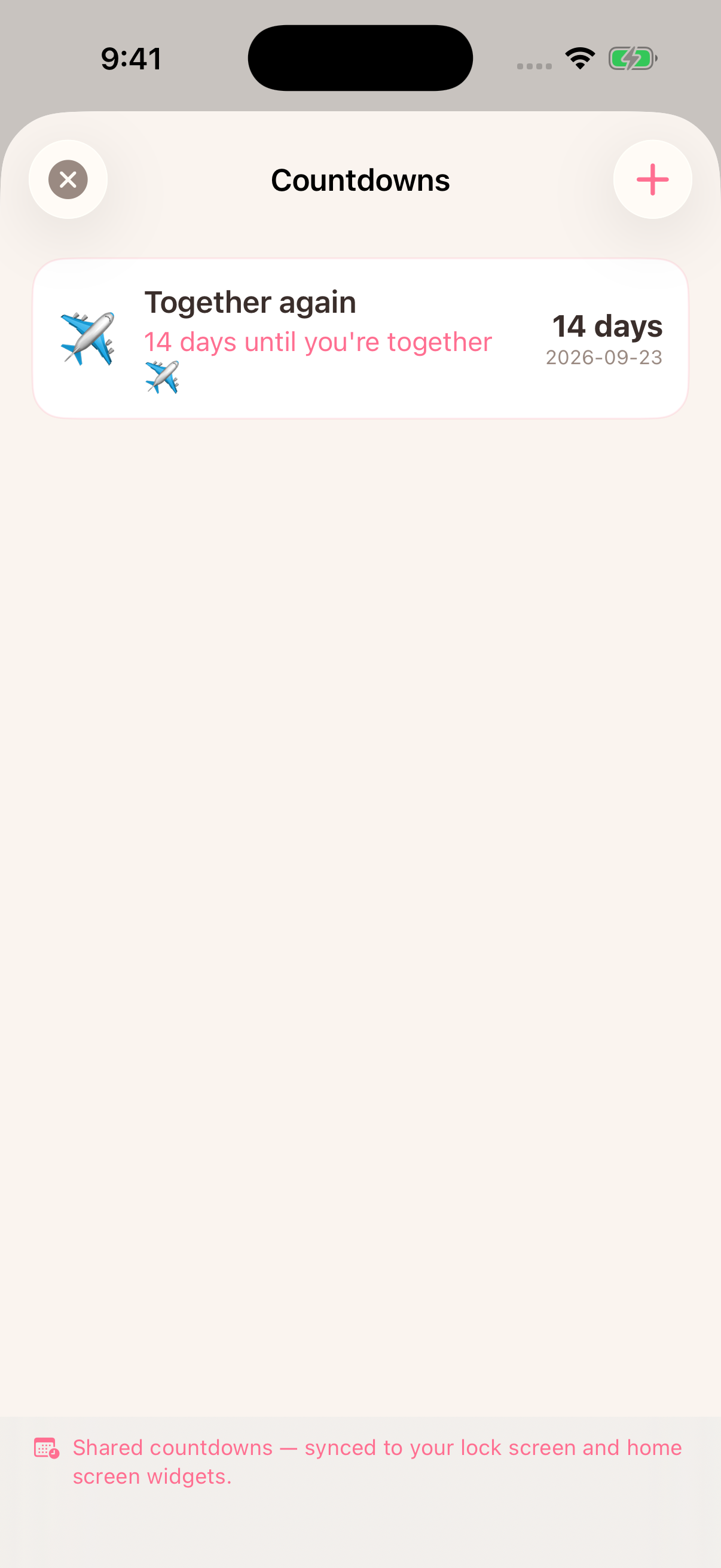
A shared date for the days apart
Love Taps brings a reunion countdown into the same app you use to send your partner a tap. Add the next visit, an anniversary or another date you are looking forward to. Your paired partner sees the shared dates too.
Use our free private reunion countdown in any modern browser. It saves on your device and creates a link that preserves the same moment across timezones.
Create your reunion countdown
- Open Love Taps and finish pairing with your partner.
- Open Countdowns and tap the plus button.
- Enter your event details and date, then save.
- Ask your partner to open the app and check the shared date.
You can add more than one meaningful date. The app brings upcoming dates forward so your next hello stays easy to find.
Keep it on your screen
Add an available Love Taps countdown widget to your iPhone using our widget setup guide. Widget refresh timing is managed by iOS, so open the app if you need to check a recent change.
For the ordinary days in between
The countdown gives you something to look forward to. A tap or a mood gives you a way to reach out today. Neither needs a long message or a perfect occasion.
Love Taps requires iOS 17 or later. Pairing connects your partner’s access. Current plans and local prices are shown in the App Store and app.
Is this a location tracker?
No. A reunion countdown is a date you choose to share. It is not a live location or flight tracker.
See the countdown alongside taps, moods and widgets in our guide to Love Taps for long-distance couples.
Find Love Taps on the App Store
By Love Taps · Updated September 17, 2026